System
7 tweaks- Ultimate Performance planCPU at full speed, no core parking
- Max priority for gamesmore CPU and GPU for the open game
- Clean up startupTeams, Edge and launchers stop auto-starting
- Turn off telemetryfewer background processes
Troy Tweaks gets Windows ready for gaming: max power plan, priority for your game, less running in the background and lower input lag. All on one screen, and everything goes back to normal in one click.
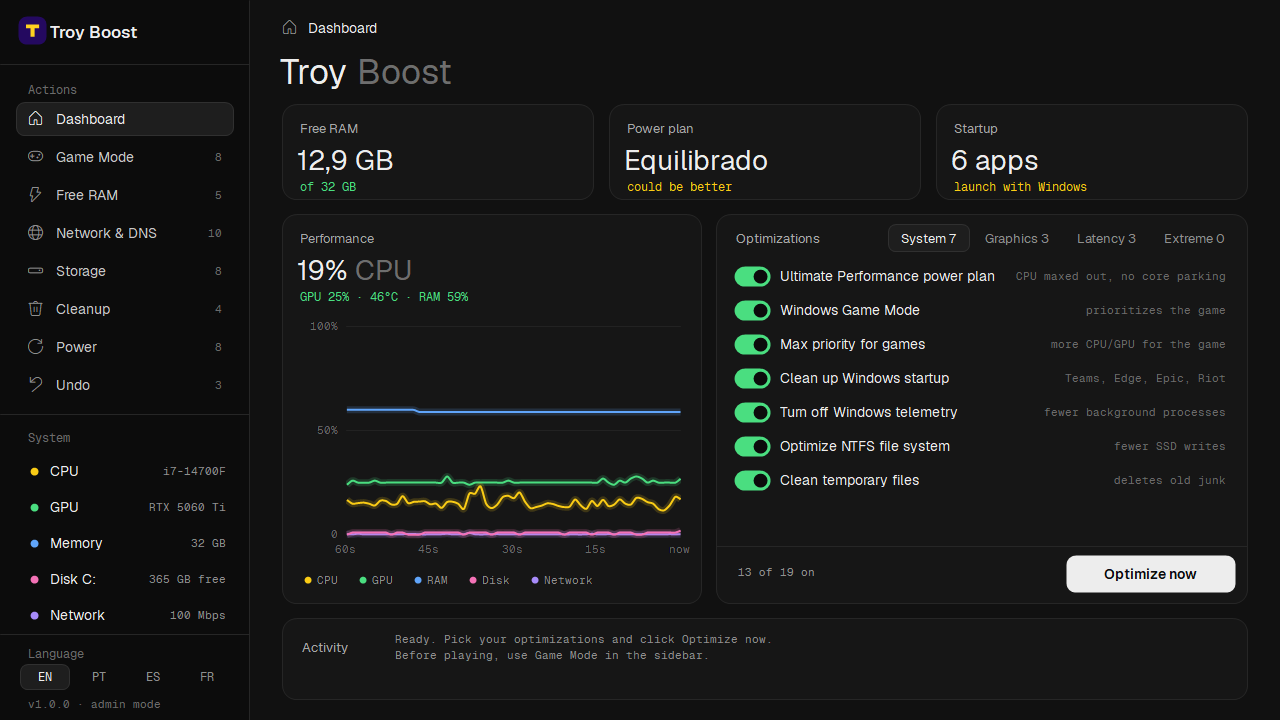
You turn each tweak on or off. The safest ones come pre-selected, and each one tells you what it does in a single line.
Closes what's weighing on your PC in the background, frees RAM, flushes DNS and gives your game high priority. Nothing is permanent: restart and it's back to normal.
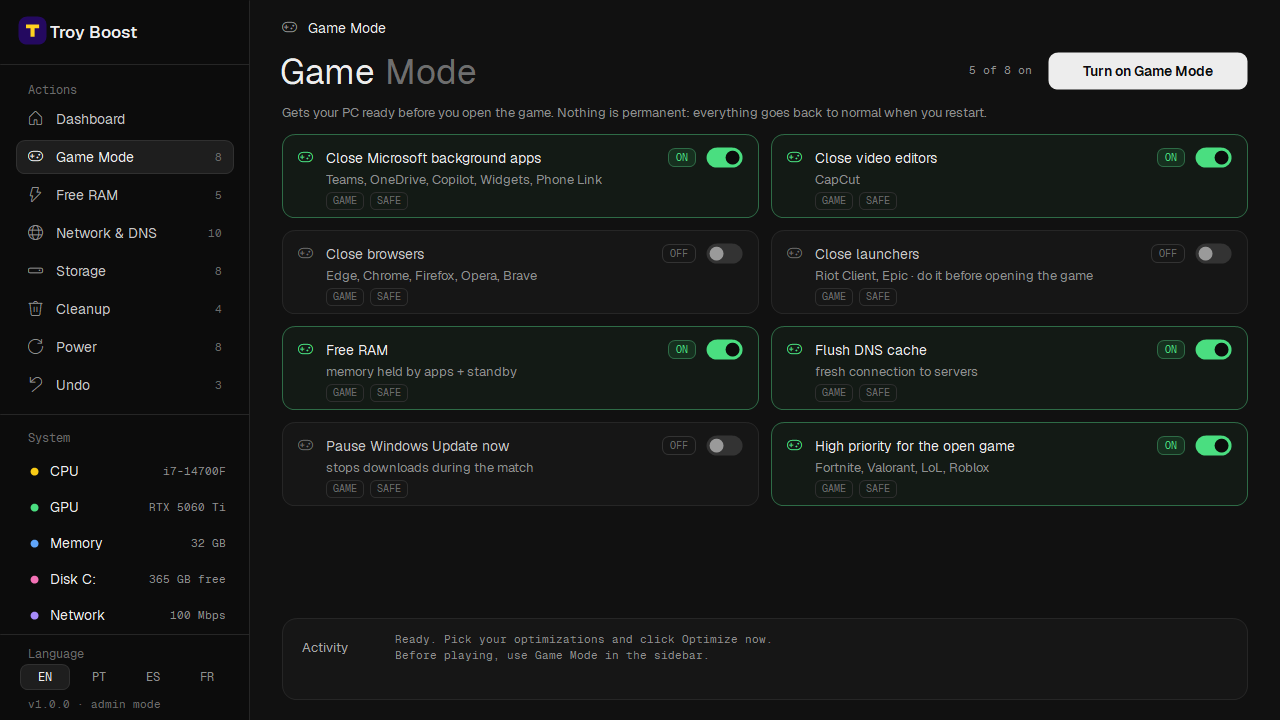
Windows-level tweaks, so they work with any PC game
Pay securely through Whop. As soon as the payment goes through, the download is ready in your Whop account.
Run the installer and click Next. It adds a shortcut to your desktop and Start menu.
Pick your tweaks, click Optimize now and restart. Before you play, turn on Game Mode.
Before changing anything, the app saves how it was. One click on Undo and your PC is back to its original state.
It creates a Windows restore point before optimizing, as a second safety net.
No injecting, no modifying game files. Only Windows' own settings.
Uninstalling Troy Tweaks automatically reverts every change it made.
From the creators and competitive players behind Troy Tweaks

My game finally feels smooth. No more random stutters in the middle of a fight, and my edits feel way more responsive.

Ran it before my last tournament and the difference was instant. FPS stays stable, input delay feels lower and zero stutters.

Recording while I play used to kill my FPS. Now the game stays smooth and my clips come out clean, no lag at all.
Can't find yours? Reach out to support.
Troy Tweaks never opens, modifies or injects anything into your games. It only changes Windows settings, the same ones you could change by hand in the system settings.
It depends on your PC. Systems with lots running in the background, or Windows on the Balanced power plan, usually notice the biggest difference, especially in stutters and input lag. We don't promise a number: the app shows CPU, GPU and RAM usage live so you can see for yourself.
Click Undo and everything goes back to how it was. If you still don't want to keep the app, you have 7 days to ask for a full refund.
No. Windows shows that warning for new apps it doesn't know yet. Click "More info" and then "Run anyway".
Windows 10 or 11 (64-bit) and administrator access. GPU temperature in the live graph shows on NVIDIA cards; everything else works with any GPU.
Yes. Just keep in mind the Ultimate Performance plan uses more battery, so it works best plugged in.
Once your payment is approved, you can download the installer right away from your orders in your Whop account.
The license is personal: use it on your own computers, just don't share it with other people.
Questions before buying? Email us at